Hallory
Venue operating system · Rev. 01

Every room.
Every booking.
Nothing double-booked.

Hallory is the calm way to run a busy community venue: bookings, floor plans, volunteers, staff and payments in one drawing everyone can read. Built for churches, halls, clubs and non-profits. No training required.

Free early access · Founding pricing at launch

St Mary's Community Hall · Live planYour venue, mapped
Main HallHall AHall BKitchenMeeting RoomFoyerStage
0 double bookings
2 awaiting payment

Built for every kind of community space

ChurchesCommunity hallsVillage hallsSports clubsCharitiesYouth clubsScout groupsSchoolsYoga studiosChoirsCommunity centresNon-profits
Fig. 02 · The problem

The diary is broken.
So we built something calmer.

2 clashes, 1 lost deposit
Saturday 28th9am · yoga? Karen said hall A9am toddler group HALL A??party 2pm. deposit paid?? ask Davechoir moved to Thurs (check!!)WHO BOOKED THE KITCHEN?!call back re:Sat clash!!07700 900...
0 clashes
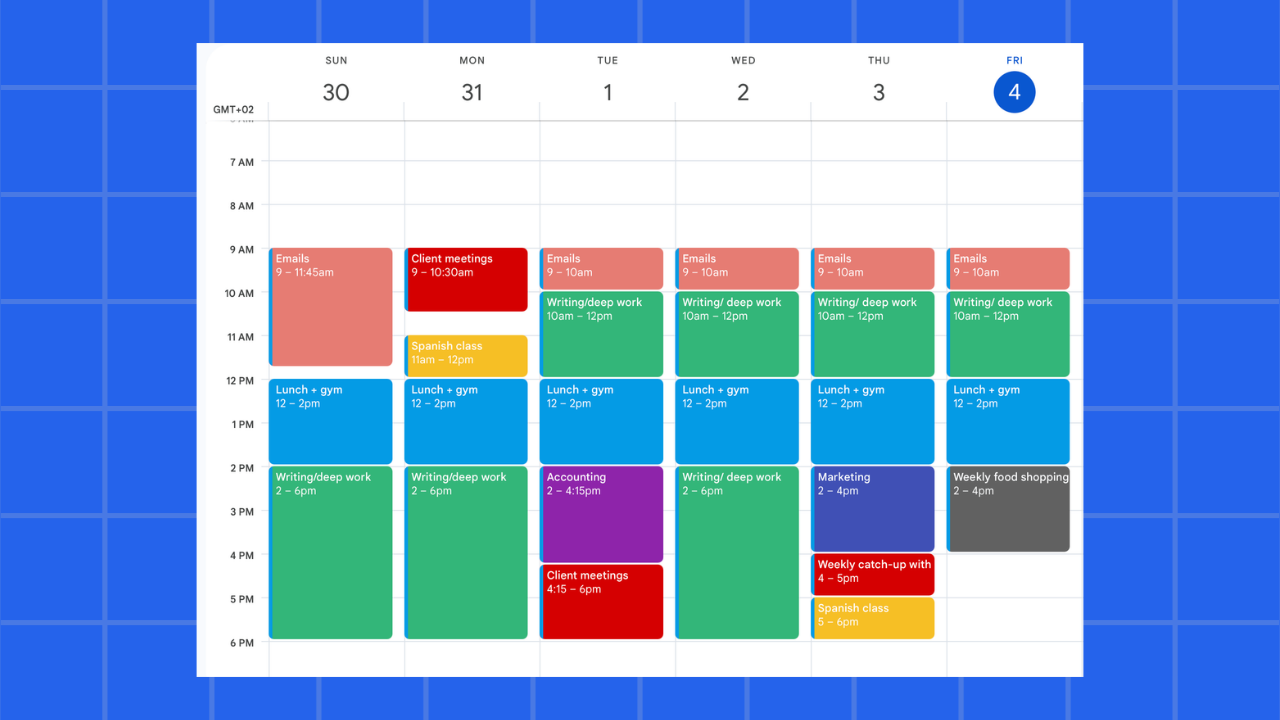
MonTueWedThuFriSat
ChoirYogaToddlersPartyCommittee

Same Saturday · every booking in its place

No more double bookings

Every request is checked against the whole calendar. A clash simply cannot be approved.

One calendar for everything

Every room, colour-coded, readable at arm’s length across day, week and month.

Requests, sorted

People ask online. You see it, check it, approve or decline in one tap.

Money you can see

Cash, transfer or cheque: anything still owed stays amber until it is settled.

The diary can retire now.

One calm place for every booking · free early access

Join the waitlist
Fig. 03 · How it works

From first request to final payment

my.hallory.app
Main HallHall AHall BKitchenMeeting RoomFoyerStage
Fig. 04 · Three portals, one system

Everyone sees exactly what they need,
and nothing they don't

Admins run the venue. Staff see their shifts. Volunteers pick up requests near them. Three simple views of the same calm system, so nobody is ever out of the loop.

Admin portal

Run the whole venue

Bookings, rooms, floor plans, invoices, reports and the team. Everything in one place, nothing behind jargon.

MonTueWedThuFri
ChoirYogaWedding
Staff portal

Shifts without the group chat

Schedules, clock in and out, leave requests and payslips. Staff answer their own questions before they ask you.

Today9:00 – 15:00Clocked in
Thu12:00 – 18:00Scheduled
FriLeave dayApproved
Volunteer portal

Helpers find you

Volunteers sign up through a shared link, see requests in their area, and confirm in one tap. The rota fills itself.

Coffee morning2 needed
Foyer · Sat · 10:00
ARAmanda R.Confirmed
SKStephen K.Confirmed
Fig. 04b · Public booking pages

Hirers book themselves in.
You just approve

Share one link. Hirers see every room with photos, capacity and amenities, check real availability, and send a request in under a minute, even from their phone. If the event needs helpers, they can request volunteers in the same form.

  • Room photos, capacity and amenities up front
  • Only genuinely free times are shown
  • Volunteer help requested in the same step
book.hallory.app/st-marys
Hall B · seats 60

Hall B · St Mary's Community Hall

ProjectorKitchen accessStep-freeWi-Fi

Saturday 28 March

9:0010:0011:0012:0013:0014:00
Request this room · 11:00

Your hirers will thank you.

Public booking pages included on every plan

Join the waitlist
Fig. 05 · And the rest

Everything a venue needs,
nothing it doesn't

Tasks that actually get done

Venue to-dos on a simple board: assign, move, done. The heater gets fixed before Sunday, not after.

To do

Fix hall heater
Order chairs

Doing

Paint foyer

Done

PAT testing

Resources & equipment

Projectors, chairs, the sound system. Assigned per booking, so two events never claim the same kit.

Projector · Hall BChairs ×60PA system

Staff, rotas & leave

A friendly mini-HR system: employment types, schedules, clock-in, leave and weekly wage costs, sized for small teams.

James · Sat shiftClocked in

Finance you can explain to the committee

Invoices, payment tracking and clean PDF reports. Amber means still owed; green means banked. That is the whole system.

Wedding reception · Main Hall£320
Yoga (Karen) · Hall A£30
Fig. 07 · Pricing

Simple pricing, revealed at launch

Two straightforward plans: no per-user charges, no surprises. Waitlist members unlock prices first and keep founding rates forever.

Community

/month

Revealed to waitlist members first

  • Unlimited bookings & rooms
  • Volunteers & staff included
  • Invoices & payment tracking
  • Public booking request pages
  • Email support
  • Single venue
Most popular

Full house

/month

Revealed to waitlist members first

  • Everything in Community
  • 2D floor plans for every building
  • Priority support
  • Multiple venues
  • Advanced reports
  • Early access to new features
Join the waitlist to unlock pricing
Fig. 08 · Questions

Asked by every committee, answered here

Hallory is venue management software for community spaces: churches, village halls, community centres, sports clubs and non-profits. It brings bookings, a colour-coded calendar, 2D floor plans, volunteers, staff and payment tracking into one calm place that anyone can use without training.

Yes, this is the heart of the system. Every booking request is checked against the whole calendar the moment it arrives. If two groups want the same room at an overlapping time, Hallory flags the clash and will not let it be approved.

Yes. Each venue gets a public booking page where hirers can browse rooms with photos, capacity and amenities, see genuinely available times, and send a booking request, including asking for volunteer help if their event needs it. You stay in control: nothing is confirmed until you approve it.

You share a signup link for a booking or event, and volunteers register themselves. No accounts to create on their behalf. Volunteers also get their own portal where they can see requests near them, their schedule and their hours. Staff have a separate portal for shifts, clock-in, leave and payslips.

Hallory tracks payments rather than processing them. Most community venues take cash, bank transfer or cheque, so you mark payments as received, and anything still owed stays highlighted until it is settled. Clean invoices can be generated and sent in seconds.

No. Hallory is deliberately built for non-technical committees and older volunteers. Add your rooms, sketch a simple floor plan if you like, and share your booking page. Plain English throughout, no jargon, and no training courses required.

Pricing is revealed at launch: two straightforward plans with no per-user charges. Waitlist members get free early access and lock in founding-member pricing forever.

Fig. 09 · From the blog

Guides for the people who run the place

All articles →
Hallory
Guides

How to set up a village hall booking system

24 Jul 2026Read article
Guides

testing

10 Jul 2026Read article
Guides

test 2

11 Jul 2026Read article